2 Must-Try AI Tools: Which is The Best AI Image Quality Enhancer
In the age of digital everything, images are more important than ever. Whether you're a professional photographer, a social media influencer, or just someone who loves capturing life's moments, the quality of your images can make a significant difference. Enter AI image quality enhancers – powerful tools designed to breathe new life into your photos. But with so many options out there, how do you know which one to choose? Let's dive into four must-try AI tools and figure out which is the best for enhancing your image quality.
Why Image Quality Matters
First impressions are crucial, and in many cases, your images create that first impression. High-quality images can make your content more engaging, professional, and trustworthy. Whether it's for a website, an advertisement, or personal use, poor-quality images can detract from your message and brand.

What are AI Image Quality Enhancers?
AI image quality enhancers are tools powered by artificial intelligence designed to improve the resolution, sharpness, and overall quality of images. These tools use complex algorithms to analyze and enhance various aspects of an image, such as texture, detail, and color accuracy.
How AI Improves Image Quality
AI improves image quality by using deep learning algorithms to understand the components of an image. These algorithms can fill in missing details, sharpen blurry areas, and upscale images without losing quality. Essentially, AI mimics how a professional might retouch an image, but does it faster and often better.
Criteria for Evaluating AI Image Quality Enhancers
When evaluating AI image quality enhancers, consider the following criteria:
- Performance: How well does the tool enhance images?
- Ease of Use: Is the tool user-friendly?
- Features: What additional functionalities does the tool offer?
- Pricing: Is it affordable or worth the investment?
- User Feedback: What do other users say about the tool?

Imgupscaler
Overview
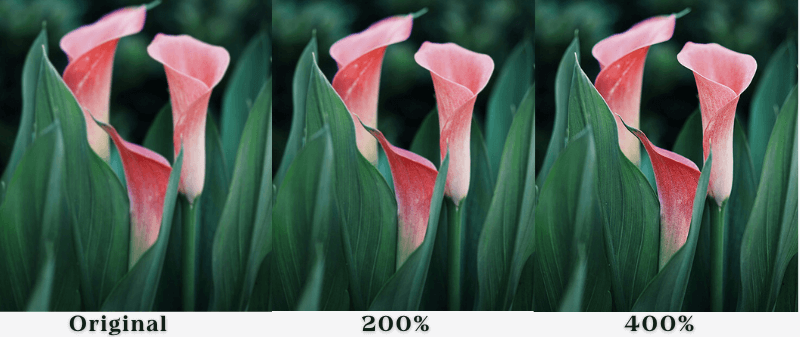
Imgupscaler is a well-known AI image enhancer that specializes in upscaling images. It's designed for photographers and graphic designers who need to maintain high resolution even after enlarging their images.
Key Features
- Upscales images up to 600%
- Maintains image detail and sharpness
- Batch processing capabilities
- Easy-to-use interface
Pros and Cons
Pros:
- Exceptional upscaling capabilities
- User-friendly interface
- Batch processing saves time
Cons:
- Requires a powerful computer for best performance
User Experience
Users praise Topaz Gigapixel AI for its ability to upscale images without losing detail. The interface is intuitive, making it accessible for beginners and professionals alike. However, the software's performance can lag on less powerful computers.

Imglarger
Overview
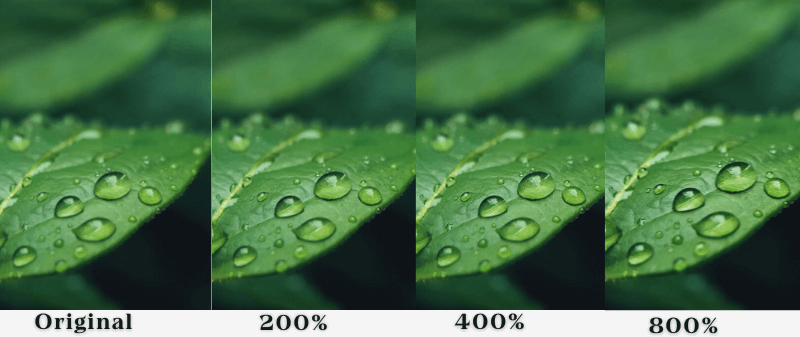
Imglarger is an online AI image enhancer that makes images clearer, sharper, and more vivid. It is also an online AI image editing package with 11 image enlargement features, the best one being the image enlargement feature. It is perfect for users who want to improve their images quickly and efficiently without downloading software.
Key Features
- Online platform – no downloads needed
- Enhances colors and details
- Supports multiple image formats
- Offers a free version with limited features
Pros and Cons
Pros:
- Convenient online access
- No need for powerful hardware
- Simple and intuitive interface
Cons:
- Free version has limitations
- Subscription-based pricing can be costly
User Experience
Let's Enhance users appreciate the convenience of an online platform that delivers quick and impressive results. However, some find the subscription model a bit expensive, especially for occasional use.
User Experience
Remini is highly rated for its ability to restore and enhance old photos, making it a favorite among users who want to preserve memories. However, the subscription model and occasional over-processing can be drawbacks.

Comparative Analysis of the Tools
Performance
All four tools excel in enhancing image quality, but Topaz Gigapixel AI and AI Image Enlarger stand out for their superior upscaling capabilities. Let's Enhance and Remini are excellent for quick enhancements and restoration.
Ease of Use
Remini and Let's Enhance are the easiest to use, thanks to their intuitive interfaces and mobile/online accessibility. Topaz Gigapixel AI and AI Image Enlarger offer more advanced features, which might require a learning curve.

Pricing
Let's Enhance and Remini operate on a subscription basis, which can add up over time. Topaz Gigapixel AI, while pricey upfront, offers a one-time purchase option. AI Image Enlarger provides a balance with affordable pricing and no subscription needed.
Overall Value
Topaz Gigapixel AI offers the most comprehensive set of features for professionals, while AI Image Enlarger is the best budget-friendly option. Let's Enhance and Remini are great for casual users needing quick fixes.
Conclusion
AI image quality enhancers are revolutionizing how we interact with photos. Whether you're a professional looking to enhance your work or someone wanting to spruce up your social media, there's a tool out there for you. By understanding the strengths and weaknesses of each, you can make an informed decision and elevate your images to the next level.