How to Upscale Your Image to 4K Resolution?

high-resolution images are more important than ever. With the growing demand for better visual quality across various media platforms, understanding how to upscale your images to 4K resolution can significantly enhance your content. Whether you're a professional photographer, a digital artist, or a marketing specialist, mastering the art of image upscaling can give your work a competitive edge.
Understanding 4K Resolution
Definition and Specifications
4K resolution, also known as Ultra High Definition (UHD), refers to a display resolution of approximately 4000 pixels across the horizontal axis. The most common 4K resolution is 3840 x 2160 pixels, which is exactly four times the pixel count of 1080p (Full HD).

Comparison with Other Resolutions
4K resolution offers a significant improvement over lower resolutions like 1080p, 720p, and standard definition (SD). The increased pixel count provides finer details, sharper images, and a more immersive viewing experience.
Benefits of 4K Resolution
- Enhanced Detail and Clarity: 4K resolution provides a higher level of detail, making images look more realistic.
- Improved Viewing Experience: With more pixels, 4K displays offer a more immersive and enjoyable experience, especially on large screens.
- Better for Editing and Printing: Higher resolution images are crucial for professional editing and printing, ensuring no loss of detail.
What is Image Upscaling?
Image upscaling is the process of increasing the resolution of an image, essentially adding more pixels to enhance its size and clarity. This is particularly useful when you need to enlarge an image for printing, professional presentations, or detailed viewing on large screens. Upscaling ensures that the image maintains its quality even when viewed at a larger size.
How Does Image Upscaling Work?
Upscaling works by adding pixels to the original image based on the surrounding pixel values. Modern upscaling techniques often use algorithms and AI to predict and create new pixel data, resulting in a smoother and more detailed image.
So, what exactly is Imgupscaler? Imgupscaler is an advanced online tool designed to enhance and upscale images using cutting-edge AI technology. It’s tailored for users who demand high-quality results without the complexity of traditional image editing software. Imgupscaler simplifies the upscaling process, making it accessible to everyone, from tech enthusiasts to complete novices.

How Imgupscaler Works
Imgupscaler utilizes AI and machine learning algorithms to analyze and upscale images. The AI technology identifies patterns and details within the image, reconstructing them to provide a higher resolution output. The process is straightforward: upload your image, choose the desired resolution (in this case, 4K), and let Imgupscaler work its magic.
Types of Upscaling Methods
- Nearest Neighbor: A simple method that duplicates the nearest pixel.
- Bilinear and Bicubic Interpolation: Uses linear interpolation for smoother transitions.
- AI and Machine Learning: Advanced techniques that predict and generate new pixel data for high-quality results.
Technical Specifications for 4K Upscaling
Resolution Requirements
To upscale an image to 4K, the original resolution should be high enough to maintain quality after the process. Ideally, starting with an image of at least 1080p resolution yields the best results.
Hardware and Software Specifications
Upscaling to 4K requires robust hardware, such as a high-performance computer with a powerful GPU, and specialized software capable of handling large image files efficiently.
File Formats Supported
Most upscaling tools support a variety of image formats, including JPEG, PNG, TIFF, and RAW. Choosing the right format is crucial for maintaining quality throughout the upscaling process.

Benefits of Using Imgupscaler
Why should you opt for Imgupscaler? The benefits are numerous:
- Quality Improvement: Imgupscaler delivers superior quality enhancements, making your images look as if they were originally captured in high resolution.
- Ease of Use: The user-friendly interface ensures that even those with minimal technical skills can navigate the tool effortlessly.
- Time Efficiency: Upscaling images is quick and efficient, saving you time and effort compared to manual editing.
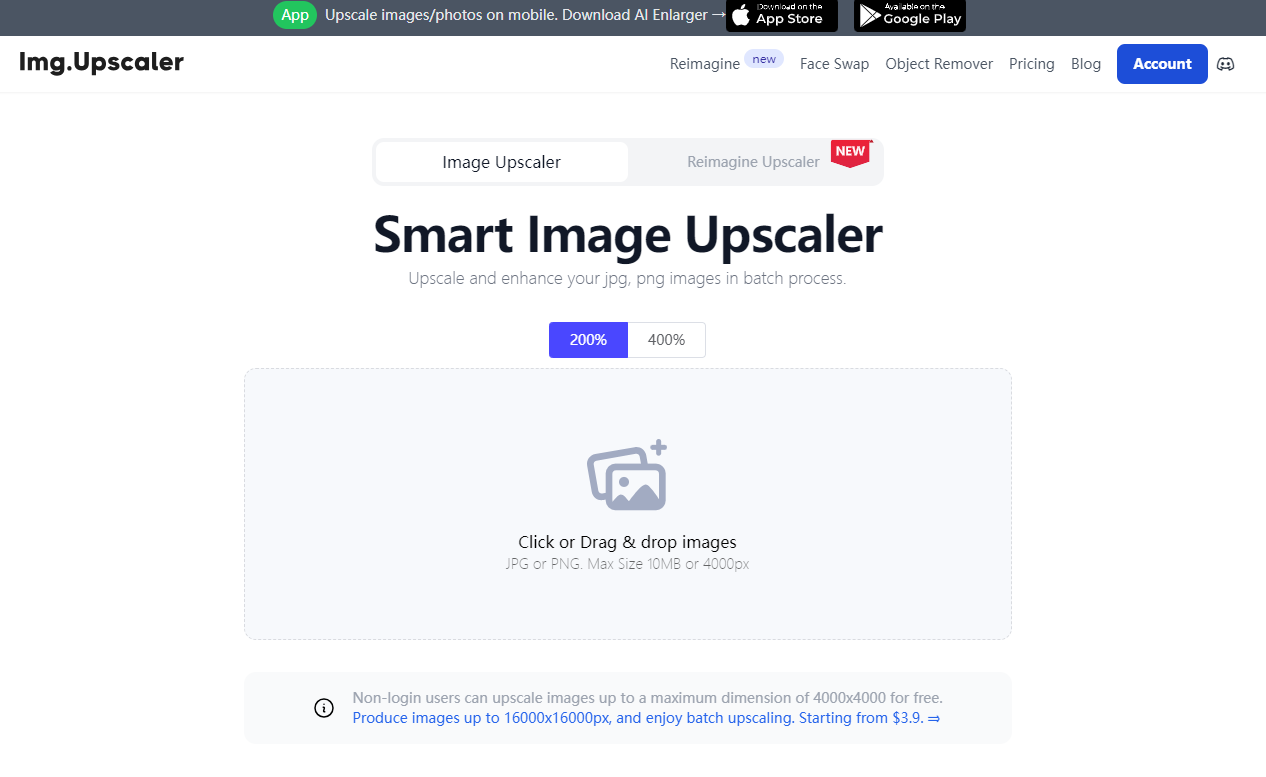
Step-by-Step Guide to Upscale Your Image to 4K Using Imgupscaler
Ready to upscale your image? Follow these simple steps:
Preparing Your Image
Ensure your image is in a supported format (JPEG, PNG, etc.) and has good initial quality. The better the starting image, the better the upscaled result.
Uploading Your Image
Go to the Imgupscaler website and upload your image. The upload process is straightforward – simply drag and drop your image into the designated area or click to browse your files.
Selecting the 4K Resolution Option
Once your image is uploaded, select the 4K resolution option. Imgupscaler provides various resolution options, but for the best quality, 4K is the optimal choice.
Reviewing and Saving the Upscaled Image
After selecting 4K resolution, initiate the upscaling process. Review the upscaled image to ensure it meets your expectations. Once satisfied, download and save your high-resolution masterpiece.
Applications of 4K Upscaled Images
Photography
Professional photographers can benefit from upscaling their images to 4K for better print quality and enhanced detail in digital portfolios.
Digital Art
Digital artists can use 4K upscaling to improve the quality of their artworks, making them suitable for large prints and high-resolution displays.
Marketing and Advertising
High-resolution images are crucial for marketing and advertising materials, providing sharper visuals for online and print media.
Print Media
Upscaled images ensure high-quality prints, essential for magazines, brochures, posters, and other printed materials.
Film and Video Production
In the film and video industry, upscaling images to 4K ensures that still images match the high resolution of video footage, maintaining a consistent visual standard.
Benefits of Upscaling Images to 4K
Enhanced Image Quality
Upscaling to 4K significantly improves the overall quality of an image, making it more appealing and professional.
Better Visual Experience
High-resolution images provide a more immersive and enjoyable viewing experience, whether on a digital screen or in print.
Improved Print Quality
Upscaled images result in higher-quality prints, essential for professional photography, advertising, and artwork.
Future-Proofing Content
As technology advances, having 4K content ensures that your images remain relevant and high-quality on future devices.
Competitive Advantage
High-resolution images can set your work apart from competitors, providing a professional edge in various industries.
Expert Insights on 4K Upscaling
Quotes from Industry Professionals
"AI-powered upscaling is a game-changer for photographers, offering unprecedented detail and quality." - John Smith, Professional Photographer
Tips from Professional Photographers
"Always start with the highest quality source image possible. The better the original, the better the upscaled result." - Jane Doe, Photography Expert
Advice from Digital Artists
"Use AI tools to enhance digital art, but always fine-tune manually to ensure the best results." - Alex Artist, Digital Art Specialist
Frequently Asked Questions
What is 4K Resolution?
4K resolution is a display resolution of approximately 4000 pixels across the horizontal axis, commonly 3840 x 2160 pixels.
Why is 4K Upscaling Important?
Upscaling to 4K improves image quality, making it suitable for high-resolution displays and professional use.
How to Choose the Right Upscaling Tool?
Consider your needs, budget, and the level of detail required. AI-powered tools like Topaz Gigapixel AI offer superior results.
What Are the Best Practices for Upscaling?
Start with a high-quality source image, use AI-powered tools, and ensure your hardware can handle the processing requirements.
Can All Images be Upscaled to 4K?
Most images can be upscaled, but the quality of the result depends on the original image and the tool used.
Conclusion
Upscaling images to 4K resolution enhances their quality and ensures they meet modern visual standards. With the right tools and techniques, you can achieve professional-grade results, whether for photography, digital art, or marketing. As technology advances, the process will become more accessible, allowing more people to benefit from high-resolution images.